WhatsApp and CRM
WhatsApp Business App vs API: Differences for a Small Business
The app is for you to answer from your phone; the API (platform) connects WhatsApp to systems and agents. What changes in rules, billing and use, per Meta.
By Adrián Martínez · · 7 min read
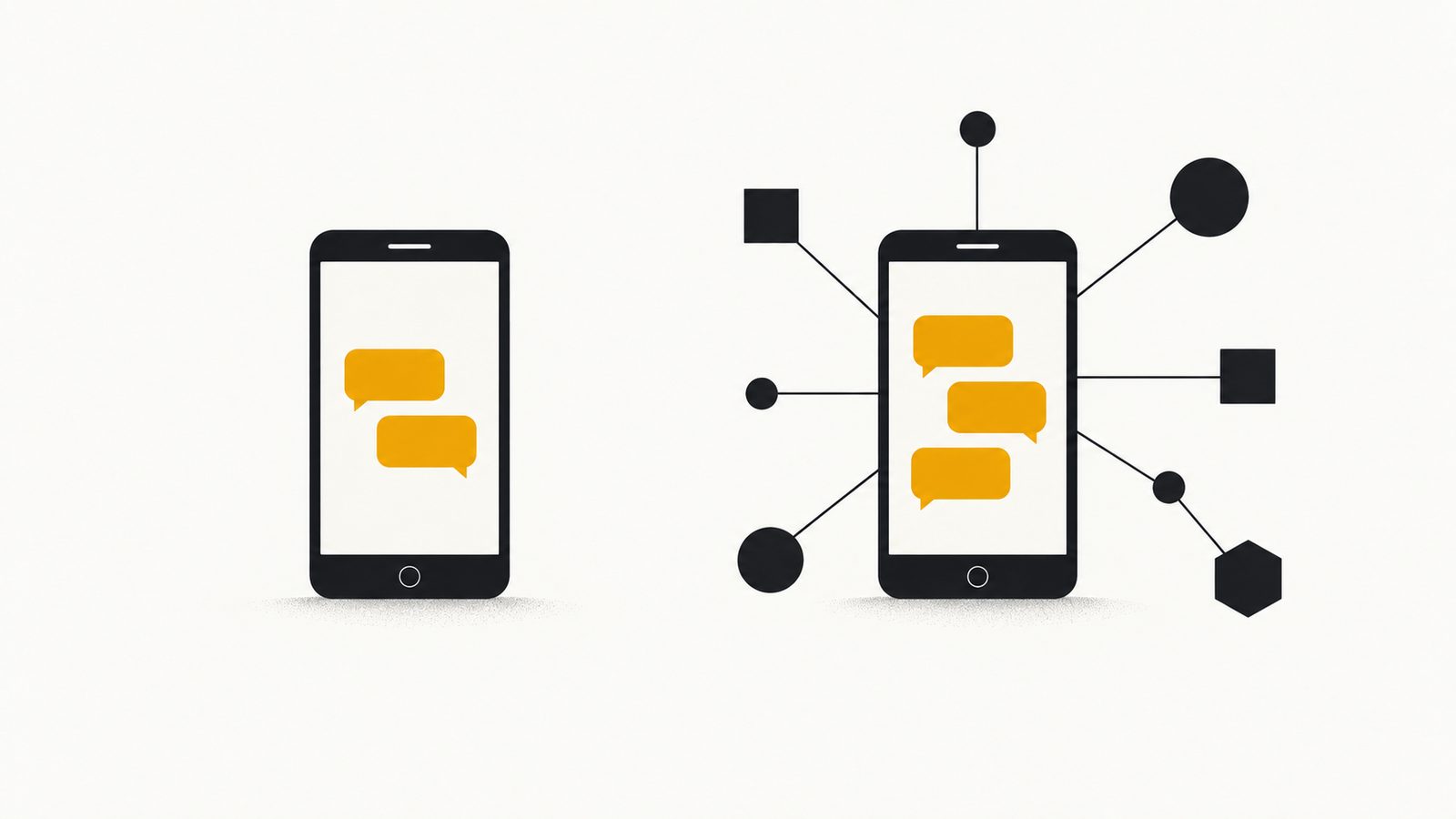
If your team answers by hand from a phone, the WhatsApp Business app is enough. If you want a system to answer, book or connect with your CRM, you need the WhatsApp Business Platform, which almost everyone calls "the API". They are two Meta products with nearly the same name and different rules. For a small business, the big difference isn't technical: it is who writes each message and how it is billed.
What each one is, according to Meta
The WhatsApp Business app is the application you install on a phone. WhatsApp says it was built with the small business owner in mind, and it highlights a business profile, a way to show what you offer, and two messaging features: greeting people the moment they start a conversation and replying while you're away. It is a tool for a person to answer with.
The WhatsApp Business Platform is Meta's service for connecting WhatsApp to other systems. WhatsApp describes it as a business messaging platform and mentions approved templates, automated conversational flows, AI tools, integrations with CRM and marketing automation platforms, and routing to a live agent only when needed. An API is, in plain terms, a door through which a program can send and receive messages without anyone touching a phone screen.
Meta describes two ways to get started with the platform: a partner integration, which needs little or no code, or a direct integration, connecting to the platform yourself with developers and your own phone number.
| Topic | WhatsApp Business app | Platform (API) |
|---|---|---|
| Who operates it | A person, from the app | A system or an AI agent; a person takes the conversation when needed |
| Automation Meta describes | Greeting when a conversation starts and a reply while you're away | Approved templates, automated flows and AI tools |
| What else Meta highlights | Business profile and a way to show what you offer | CRM and marketing automation integrations, and routing to a live agent when needed |
| How you start | You install the app | Through a partner, or with your own developers |
| Billing | Meta says messages sent from the app stay free on numbers that also use the platform | Per delivered message, by category and country |
What changes with the platform: rules and billing
The platform comes with the customer service window. When someone messages you, a 24-hour timer starts, and if they write again it resets. Inside the window you can send free-form messages. Once it closes, you can only send pre-approved templates, and only to people who opted in to hear from you.
Billing changes too. According to Meta's pricing page, businesses are charged for messages delivered, not sent, and messages the customer sends you are not charged. The rate depends on the message category (marketing, utility, authentication or service) and the country of the recipient. Service messages are the free-form replies you send inside the 24-hour window. They became free on November 1, 2024; as of October 1, 2026 each business phone number gets a free tier of 1,000 delivered service messages a month, and the rest are charged. Meta adds that without a payment method on file, messages beyond the free tier are no longer delivered.
Check the date on anything you read about pricing
The above reflects Meta's page as of October 26, 2026. Meta says it may change prices only on the first day of a quarter, up to four times a year. That is why there are no rates here: they change by quarter and by country. Check the current rate card before you do the math.
Not sure which one is yours?
Tell us how many messages you get and who answers them today, and we'll tell you frankly whether the app is enough for you.
When the app is enough and when it isn't
My criterion, and it is only that, a criterion: the app is enough as long as a person answers every message and that person is available when people write. Signs that you now need the platform:
- People write at night or on weekends and nobody answers.
- You answer the same questions every day and want something to answer them on its own.
- You want appointments booked against a real calendar, not noted down by someone afterwards.
- Your customer history lives in chats and you can no longer find anything.
- Several people answer and step on each other.
If none of these sounds familiar, don't switch. Changing tools without a problem to solve only adds costs and rules.
A common trap: confusing an automatic message with an agent. The app's greeting and away message send the same text to everyone and don't understand what the customer asked. An agent connected to the platform does read the question and can act on your calendar. What each level does is covered in another article.
How to answer WhatsApp 24 hours a day without hiring anyoneThe three levels of automatic replies, what each one does and where a person should keep answering →If you already use the app: coexistence
Many small businesses already have their number on the app, with months of conversations. Meta documents a mode called coexistence, in which that number stays on the app and is also connected to the platform: from the app you can keep writing one to one. Meta documents it for Solution Partners and Tech Providers, so you request it through your provider, and it requires a recent version of the app (2.24.17 or higher).
It comes with limits worth reading before you agree. According to Meta, group chats aren't synchronized; broadcast lists are disabled, so existing ones become read-only and new ones can't be created; voice and video calls and channels aren't supported on the platform side; WhatsApp for Windows isn't supported as a companion device; and numbers used with both have a fixed throughput of 20 messages per second.
The app's tools, such as greeting and away messages, quick replies, labels and the catalog, are unchanged in the app, but Meta's feature table marks them as not supported on the platform side. Whatever those features do over there, your provider has to solve it; it isn't inherited.
On history, Meta says messages from the most recent six months of one-to-one chats can be synchronized, and that this step can only be done once, when the number is onboarded. Messages you send from the app remain free; those sent through the platform are billed as explained above.
With NegocIA, Byte and Brand's product, the number can be the one you already use or a dedicated one. Setup is a single conversation, usually under 20 minutes, and Meta's number verification can take one to three business days. The plans cover the agent and the panel; the messages Meta bills are paid directly to Meta.
Meet NegocIAHow Ada handles your customers and your team, and which plan exists →Four questions to decide this week
- How many new messages do you get a month, and how many go unanswered? Count them for a week; it is the figure that weighs most.
- How many are repeated questions? The more repeated the question, the easier it is to automate.
- Do you have your customers' permission? The platform only lets you write to people who opted in, and Meta says you are solely responsible for how you obtain that consent.
- Who takes the conversation when the agent shouldn't answer? Meta's policy allows automation within the 24-hour window as long as there are prompt, clear paths to reach a person: a chat with a live agent, a phone number, an email, web support or a help form.
That last requirement from Meta matches what I would ask of any agent: don't improvise, and hand me the case. That is why it pays to write down beforehand which cases always go to a person: complaints, exceptions, anything delicate.
An agent that answers and books for you
Ada handles your WhatsApp through Meta's platform and hands you the conversation when something falls outside what she knows. Message her and see for yourself.
Sources consulted
- 1.WhatsApp Business: the WhatsApp Business app
- 2.WhatsApp Business: the WhatsApp Business Platform
- 3.Meta for Developers: WhatsApp Business Platform pricing (with the October 1, 2026 changes)
- 4.Meta for Developers: onboarding WhatsApp Business app users (coexistence)
- 5.Meta for Developers: send messages and the customer service window
- 6.WhatsApp Business: messaging policy (last updated September 23, 2026)